Hold for gold
Press and hold the game area on your phone, hold the mouse button, or hold Space on a keyboard. Scoop treasure while the dragon sleeps.
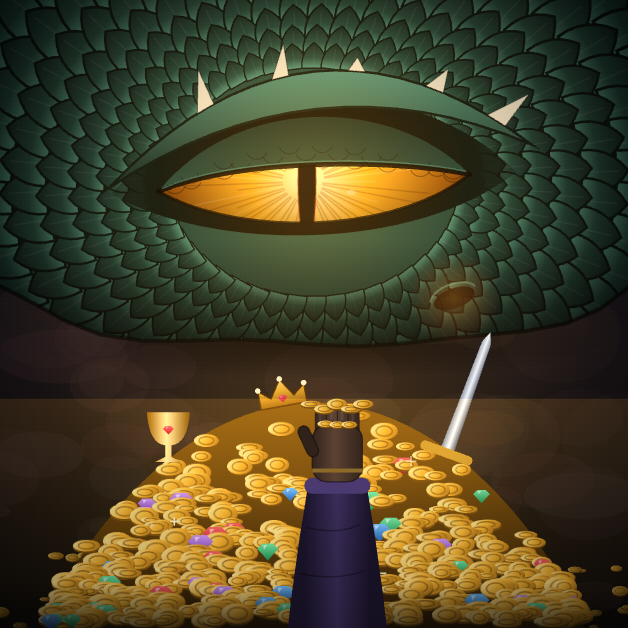
A sleeping dragon. A mountain of gold.
The treasure is right there. So is its owner.
Hold to scoop up gold. Let go before the dragon catches you.
Free to play · No download · No account
Simple controls. Tricky timing.
A quick guide to your first handful.
Press and hold the game area on your phone, hold the mouse button, or hold Space on a keyboard. Scoop treasure while the dragon sleeps.
Keep an eye on its movements. When it stirs, release your touch, mouse button or Space. Holding too long can cost you a heart.
Collect enough treasure to reach the next lair. Later dragons give you less time and change their patterns. A careful handful can beat a greedy one.
The weekly world challenge
How much gold can you bring back? Take on the same starting rules and put your run on the board.
Resets Monday at 00:00 UTC. Finish within two hours and before the reset. Nicknames are generated for each run; no sign-up needed.
Loading this week’s runs…
The board ranks runs, not unique players. Basic score checks are in place.
Before you sneak in
Yes. Use a modern browser and press and hold the game area to collect treasure. You can also play with a mouse or the Space key on a computer.
No. Regular play works right in your browser. Gold, upgrades and preferences are saved on this device. Clearing browser storage can remove them.
Weekly runs start with three hearts and do not use permanent upgrades or ad revives. When your run ends, its score is submitted with a generated nickname. Regular play does not enter the leaderboard.
This website currently has no ads or real-money purchases. The in-game shop uses gold earned through play. See our parent guide for more about the game.
If an error screen appears, use its reload option. Reloading ends the current run. If it happens again, a parent or guardian can contact us with the device, browser and stage. Please do not send a child’s personal details.
Use the sound button in the corner of the game. English is the default; Korean is available through the language button.